
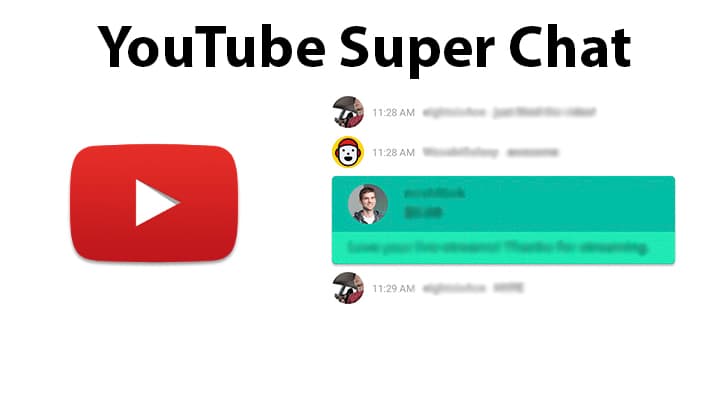
Whether you are a content creator or a regular YouTube account user, YouTube super chat has improved life on the YouTube video sharing platform.
YouTube Content creators know all too well that monetization is a tough concern. Creators are already under so much pressure to create new content regularly and to get income revenues for their efforts. Super chat is another way YouTubers can be rewarded monetarily.
So, if you are a YouTube content creator and are not yet taking advantage of this super chat on your live streams, then you are missing out. Give super chat on YouTube a go and see your YouTube channel grow to the next level.
And when your finished check out our other YouTube guides:
- How Do You Make Money On Youtube
- What Does a Highlighted Comment Mean on YouTube?
- How to Live Stream on YouTube
- How to Join the YouTube Partner Program
What Is YouTube Super Chat?
YouTube super chat is a monetization revenue set up by YouTube for their YouTube content creators to earn off of donations from the chat on their YouTube live-streaming.
If you are a YouTube content creator, using super chats is a cool way for your fans and subscribers to support you directly. Instead of just giving you ad impressions during the start, middle, or end of your videos, your subscribers can now give you money themselves, so you can continue what you love doing.
Super chats have been instated onto the YouTube video streaming platform in 2017 and have since been the primary instrument by which YouTube creators earn money during their live-streaming efforts on YouTube.
Super chats allow viewers to donate money, from $1 up to $500. As they donate, their comment on the live chat gets pinned along with how much they have donated.
How YouTube Super Chat Works
First off, Super chat is only available on YouTube live-streaming and video premiere. Your fans and subscribers follow you for a reason, and more often than not want to give more than just watching your content.
Sure, your fans can watch ads on your videos and support you on Patreon on a separate subscription, but only through super chats, fans can give you money when they want to.
YouTube super chat bridges the gap between your need for revenue and your fans’ desire to support you and perhaps get a little closer to you. Through super chats, both you and your fans get what you want.
Here is how super chats work in bullet-form illustration.
- The YouTube content creator enables super chats on their YouTube studio.
- The YouTube content creator goes live on YouTube.
- Fans can now donate any amount from $1 to $500.
- Their comments and donations get pinned to the live chat.
- $500 donation gets a comment pinned for 5 hours.
$400 donation gets pinned for 4 hours, $300 gets 3 hours, $200 gets 2 hours, and so forth.
How much do YouTube content creators get to keep off of these donations? YouTube gets 30% from any donation made through super chats. Some may think that it is quite a bit, but what can we do? At least live streaming has real incentives for YouTube creators.
Access to Super Chat and How to Use It
Access to super chats is not for every YouTube user or content creator. Super chats and stickers and the ability to accept donations on a live stream or video premiere are exclusive only to YouTube channels that are already monetizable.
If you have not achieved the monetization milestone yet, as a YouTube content creator, then you will not be able to access super chats and stickers on your YouTube live streams and video premieres. Do not fret, though, because you now have more incentive to reach and achieve monetization on your YouTube channel.
As for how to access super chats as a channel that is already monetizable, It is very easy. To turn on YouTube super chats, follow this step-by-step guide on how to access and activate super chats on your YouTube Studio:
- Go to Studio.YouTube.com on a web browser like Chrome, Edge, Safari, or Firefox.
- On the left-hand menu, just click on the ‘$ Monetization’ tab option.
- There’s another menu at the top of your browser window. Choose and click ‘Supers.’
- Click on ‘Get Started’ and a step-by-step customization process window will appear.
- Set up super chats as you see fit, and you will now have the power to monetize your YouTube live streams.
Using Super Chats To Build Your Audience and More
While it is tactless to outrightly ask for money donations just for being on a live stream, there are other, more tasteful ways you can make super chats work for you, and still have your dignity intact and appear honorable to your fans.
Here is a concise list of the best tips on how you can maximize the use of YouTube super chats:
- Do Q and A forum for your fans
Your fans will love these kinds of sessions as they will get a chance to get to personally know you better in an intimate setting where they ask questions.
Hopefully, your fans are sensitive and thoughtful enough to send you donations for questions that are not exactly easy to answer.
- Set a money goal for your live streams
Your YouTube channel costs money. Equipment, logistical costs, outsourced help, and daily costs top the list of expenses for a YouTube creator.
Declare on your live stream that your channel will need a certain amount to improve your services to your fans, and set a money goal for your fans to help and donate. Just remember to be sincere, honest, and transparent, follow through and show the fans what you have done with the donations.
- Note down what your fans like
If fans pin comments and stickers because of things you do, then take note. Repeat these things for next time to gain favor and revenue.
Super Chat is Really Super!
With super chats, going live on YouTube is more rewarding than ever before. You not only have the chance to personally connect with your fans but also have the opportunity to earn a little more doing it. Learn how to use super chats and see your YouTube career take off to heights you dream of.